Setting the default format when you paste in MS Word
When you paste text into a Word document you have options for how the text is formatted. The choices are: Keep Source Formatting – preserves the look of the original …
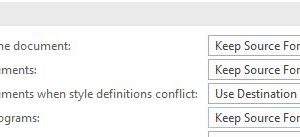
When you paste text into a Word document you have options for how the text is formatted. The choices are: Keep Source Formatting – preserves the look of the original …

While most Word documents are primarily all text, some may contain graphics such as SmartArt, pictures, shapes or screenshots. If some of the pages in your document contain several graphics, …

Continuing the theme of decluttering in the last couple of tips, this week we are going to look at how you can free up more space on the Taskbar. New …

Last week we looked at how to free up space on the Taskbar by hiding the Task View button. Continuing the theme of decluttering, this week we are going to …

In last week’s tip we covered the Task View button, which was introduced in Windows 10. If you don’t use the Task View button or if you tend to use …

The Snipping Tool was introduced in Windows 7 and it lets you take a snapshot of anything on your screen(s). It’s an improvement on the Prt Scr key as it …
Windows 10 introduced a new feature called Task View. It makes it easy to quickly find and switch to an open window. The Task View button is to the right …
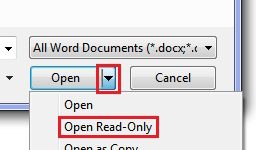
Let’s say you have a budget in Excel that is the final version but you want to open it and do a few casual ‘what if’ projections with it. As …
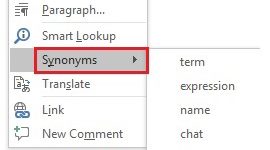
As you work away in Word, do you find yourself sometimes mentally searching for just the right word? None of the words you can think of really capture the essence …
Subscriber Maki K. asks ‘in Excel how do I show $8,607 as $9,000 and $43,035 as $43,000?’. The answer is the ROUND function. You may be familiar with the ROUND …