How do you find out which colour is being used for a Font or Fill?
Sometimes I want to use a font or fill colour that is already in use in a document in other places in the document, so I want to find out …
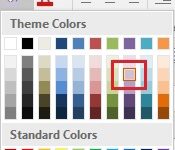
Sometimes I want to use a font or fill colour that is already in use in a document in other places in the document, so I want to find out …

A client recently sent me a word document with a list of attendees for an upcoming course. I was surprised to see the document was a .doc as this file …

As a follow-on to last week’s tip on creating a hyperlink to a web page, this week we are going to look at creating a hyperlink to another location in …

If you often create hyperlinks to a web page, this week’s tip will come in useful. I use this the most in email messages but it works equally well in …
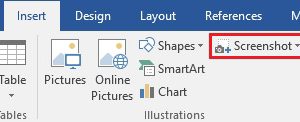
I recently had someone email me with a question about one of the Weekly Tips. Helpfully, they included a screenshot so I could see what they were talking about. I …

With 2018 upon us you may be looking for a calendar to use this year. Rather than creating one yourself, I suggest having a look at the free calendars available …

As this will be the last tip of the year I thought I’d highlight some of my favourite tips from 2017. If you joined the list part way through the …
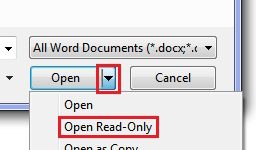
Let’s say you have a budget in Excel that is the final version but you want to open it and do a few casual ‘what if’ projections with it. As …
When you are developing a PowerPoint presentation you might occasionally want to include one or more slides from another presentation. Rather than using copy/paste there’s a better way: Reuse the …
Subscriber Jean K. asks ‘Is there a way in Outlook to zoom in to make the text in an email larger?’ If you have opened the message, as opposed to …