How to quickly select paragraphs in Word
Here’s a quick way to select paragraphs in Word. If you move your mouse pointer into the left margin it will change to a white arrowhead. As you probably know …

Here’s a quick way to select paragraphs in Word. If you move your mouse pointer into the left margin it will change to a white arrowhead. As you probably know …
If you work with Excel you will likely have discovered that you can easily format numbers in your spreadsheet. In the middle of the Home tab, there’s a Number group …
AutoCorrect is a useful feature as it can fix common spelling and typing mistakes. It’s AutoCorrect that replaces hte with the and probelm with problem. What’s really handy about AutoCorrect …

For about the last year I’ve been using a very useful website & app that keeps track of and manages all my passwords. It’s such a useful tool I wanted …
Sometimes I want to use a font or fill colour that is already in use in a document in other places in the document, so I want to find out …

A client recently sent me a word document with a list of attendees for an upcoming course. I was surprised to see the document was a .doc as this file …
If you have formulas that reference cells in another workbook, the formulas can get quite long and a single row in the Formula Bar may not be sufficient to see …
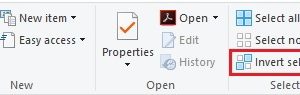
File Explorer (or Windows Explorer as it used to be called) has a handy feature that makes it easy to select most of the files in a folder. Let’s say …

As a follow-on to last week’s tip on creating a hyperlink to a web page, this week we are going to look at creating a hyperlink to another location in …

If you often create hyperlinks to a web page, this week’s tip will come in useful. I use this the most in email messages but it works equally well in …