How to quickly move to the first or last cell of a row in a Word table
If you want to quickly move the insertion point to the first cell in a row of a Word table, press Alt+Home. And the last cell in the row? Alt+End

If you want to quickly move the insertion point to the first cell in a row of a Word table, press Alt+Home. And the last cell in the row? Alt+End

If you have a large table that maybe spans several pages in your Word document, getting to the first or last row in the table may not be quick if you …
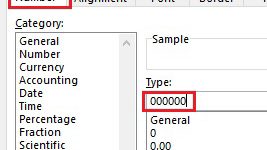
Ever had the situation in Excel where you want a number that has leading zeros? So when you enter 123 you want to see 000123 displayed in the cell. One …

When working in Word, Excel, Outlook and PowerPoint, I find I often want to increase or decrease the font size of some of the text by a size or two. …
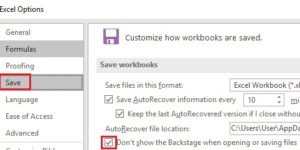
In my experience, most organizations are still storing files on network drives rather than in the Cloud. In recent versions of Word, Excel and PowerPoint, Microsoft has made the Cloud …

In the later versions of Word, Excel and PowerPoint, Microsoft implemented a Start Screen which is displayed when you launch the program. The Start Screen has a list of recently …

Looking for a quick way to turn Filter on or off in Excel? Try Ctrl+Shift+L. This shortcut is a toggle so if Filter is on it switches it off and …

In the last week or so, I’ve received a couple of emails that have had a typo in the subject line. The more recent versions of Outlook have the spellchecker …
What’s the quickest way to copy a worksheet in Excel? Most people Right-click on the worksheet tab then select Move or Copy. That works but there is a quicker way. …
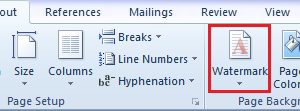
In Word you can add a watermark, such as Confidential, Draft or Final Version, to your document. The watermark prints on every page in the document and it usually appears …