My favourite tips of 2018
As this will be the last tip of the year I thought I’d highlight some of my favourite tips from 2018. If you joined the list part way through the …

As this will be the last tip of the year I thought I’d highlight some of my favourite tips from 2018. If you joined the list part way through the …
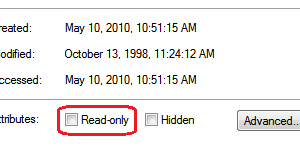
On occasion you may have a file that you want to open and use but you want to be sure you don’t accidentally save any changes. Maybe it is the …

You can use AutoCorrect to save keystrokes for phrases you commonly use. I often talk about step-by-step instructions in my proposals and emails. My typing skills or OK but words …

Let’s say you set up a recurring appointment or meeting and one of the occurrences falls on a stat holiday. You want to move that one occurrence to the next …

Surfing the web and run across a page you want to bookmark so you can come back to it later? What’s the quickest way to bookmark the page? Press Ctrl+D. …
These work in all the MS Office programs: F4 – Repeat the last command. Useful if you are doing repetitive formatting in a file F7 – Run the Spellcheck F12 …
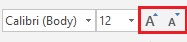
When working in Word, Excel, Outlook and PowerPoint, I find I often want to increase or decrease the font size of some of the text by a size or two. …
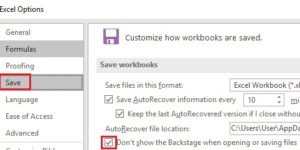
In my experience, most organizations are still storing files on network drives rather than in the Cloud. In recent versions of Word, Excel and PowerPoint, Microsoft has made the Cloud …
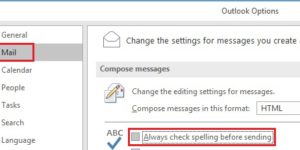
In the last week or so, I’ve received a couple of emails that have had a typo in the subject line. The more recent versions of Outlook have the spellchecker …
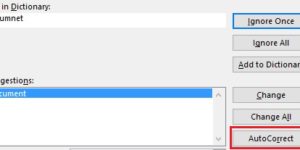
AutoCorrect is a useful feature as it can fix common spelling and typing mistakes. It’s AutoCorrect that replaces hte with the and probelm with problem. What’s really handy about AutoCorrect …