Useful MS Office function key shortcuts
These work in all the MS Office programs: F4 – Repeat the last command. Useful if you are doing repetitive formatting in a file F7 – Run the Spellcheck F12 …

These work in all the MS Office programs: F4 – Repeat the last command. Useful if you are doing repetitive formatting in a file F7 – Run the Spellcheck F12 …
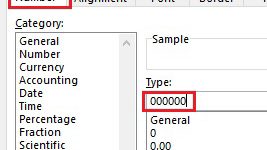
Ever had the situation in Excel where you want a number that has leading zeros? So when you enter 123 you want to see 000123 displayed in the cell. One …
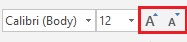
When working in Word, Excel, Outlook and PowerPoint, I find I often want to increase or decrease the font size of some of the text by a size or two. …
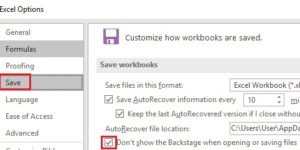
In my experience, most organizations are still storing files on network drives rather than in the Cloud. In recent versions of Word, Excel and PowerPoint, Microsoft has made the Cloud …

In the later versions of Word, Excel and PowerPoint, Microsoft implemented a Start Screen which is displayed when you launch the program. The Start Screen has a list of recently …
Looking for a quick way to turn Filter on or off in Excel? Try Ctrl+Shift+L. This shortcut is a toggle so if Filter is on it switches it off and …

What’s the quickest way to copy a worksheet in Excel? Most people Right-click on the worksheet tab then select Move or Copy. That works but there is a quicker way. …
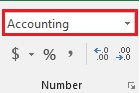
If you work with Excel you will likely have discovered that you can easily format numbers in your spreadsheet. In the middle of the Home tab, there’s a Number group …
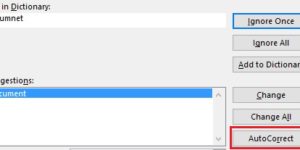
AutoCorrect is a useful feature as it can fix common spelling and typing mistakes. It’s AutoCorrect that replaces hte with the and probelm with problem. What’s really handy about AutoCorrect …
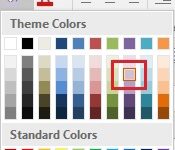
Sometimes I want to use a font or fill colour that is already in use in a document in other places in the document, so I want to find out …