My favourite tips of 2018
As this will be the last tip of the year I thought I’d highlight some of my favourite tips from 2018. If you joined the list part way through the …

As this will be the last tip of the year I thought I’d highlight some of my favourite tips from 2018. If you joined the list part way through the …
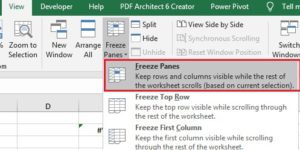
In a large Excel worksheet with many rows and columns, when you scroll down or across the column and row headings disappear and it can be difficult knowing what the …

I sometimes end up with lots of tabs open in my browser so decide to declutter and close a few of them. When doing this I sometimes accidentally close a …

When I enter a formula in Excel, I often want to finish up the data entry and stay on the same cell so I can see formula in the cell …
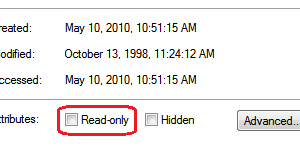
On occasion you may have a file that you want to open and use but you want to be sure you don’t accidentally save any changes. Maybe it is the …

In last week’s tip we looked at how you can use conditional formatting to colour alternate rows in an Excel workbook. Another way of doing this is to use a …
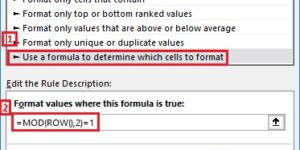
In a large spreadsheet that has many columns of data it can be difficult following a specific row as you scroll to the right. This is especially true if you …
You can use AutoCorrect to save keystrokes for phrases you commonly use. I often talk about step-by-step instructions in my proposals and emails. My typing skills or OK but words …

One of the first things most Excel users quickly discover is how to change the font, font size and colour of text in cell. However, you may not have discovered …
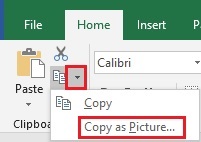
You might occasionally have data in Excel that you want to include in an email, PowerPoint presentation or Word document. When you paste the cells into the email, presentation or …